Sidebar features
This page lists SymfonyKD sidebar capabilities by feature area.
Workspace view
Section titled “Workspace view”The workspace indicator opens a workspace summary with core project information.
Configuration
Section titled “Configuration”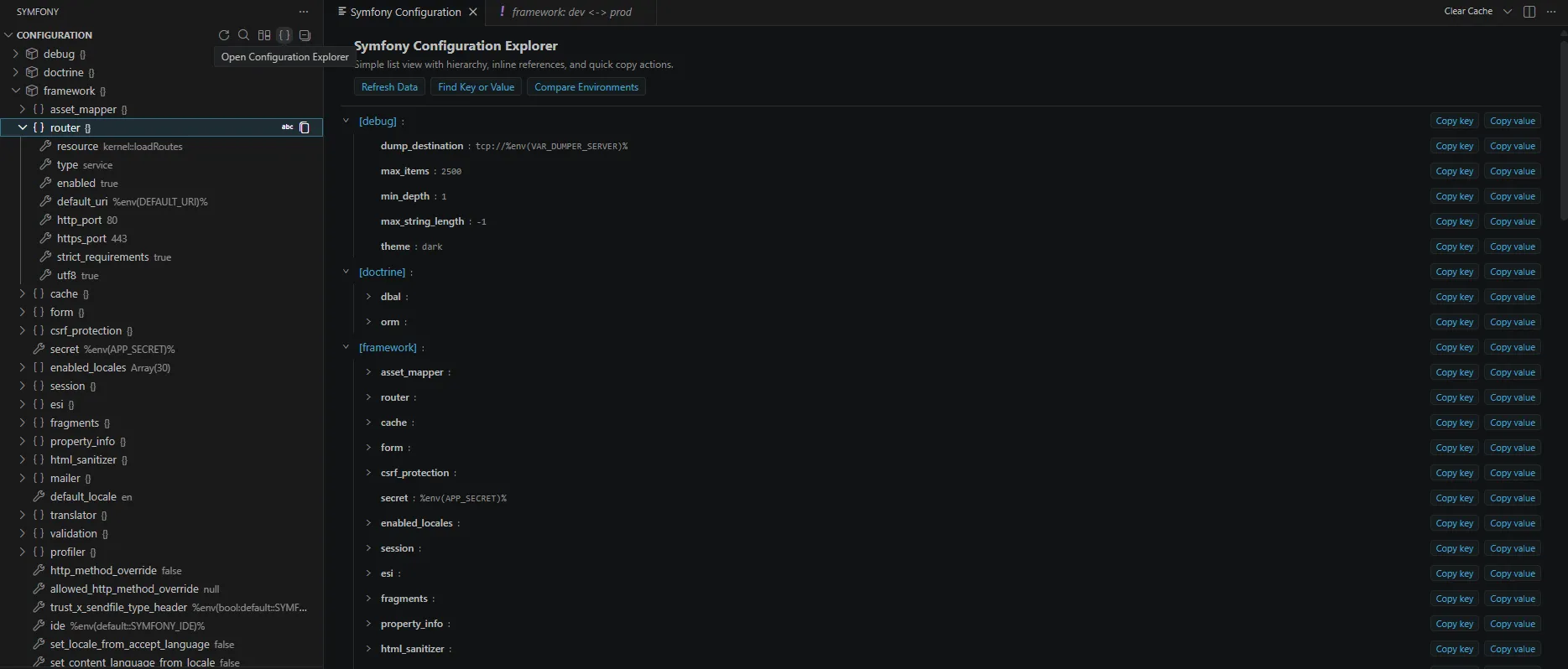
Actions:
- Refresh
- Search in sidebar tree
- Envs Diff for comparing two environments
- Full configuration explorer
Tree support:
- Copy keys and values
- Navigate to service definitions
Console commands
Section titled “Console commands”
Capabilities:
- History support
- Quick commands in editor workflow
- Execute command via command palette
- Compare command output
- Clear history
- Favorite commands
- Recent command reruns
- Running task output access
- Recent outputs access
Dependency Injection
Section titled “Dependency Injection”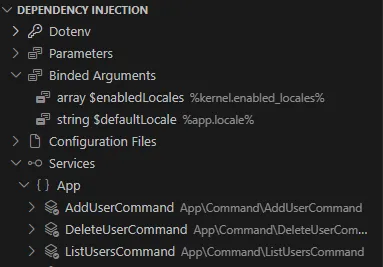
Capabilities:
- Environment variable values tree
- App parameters list
- Configuration files list
- Bound arguments with definition navigation
- Services list with definition navigation
Routes
Section titled “Routes”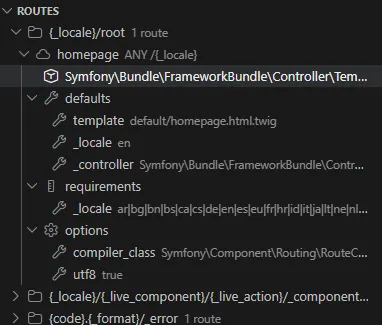
Capabilities:
- Route listing with related metadata
- Navigation to controller references
Profiler
Section titled “Profiler”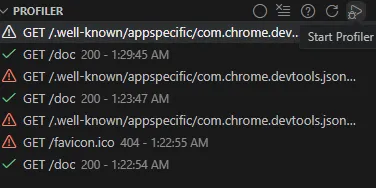
Actions:
- Clear history
- Help for profiler setup and CORS guidance
- Reload
- Start capture
Additional behavior:
- Optional debugger integration with
symfonykd.profiler.autoStartWithDebugger - Captured entries open profiler pages in VS Code
Symfony extended support
Section titled “Symfony extended support”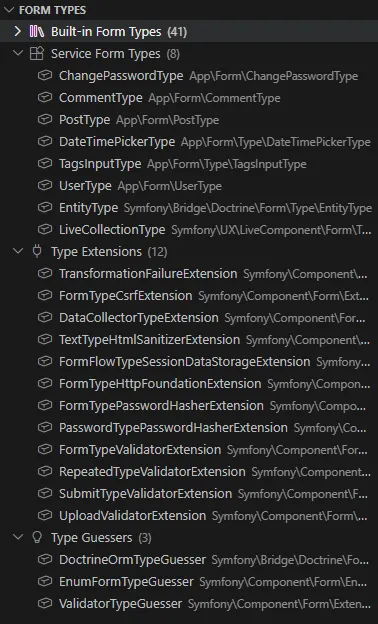
- Built-in form types from installed libraries
- Service form types with navigation
- Type extensions with navigation
- Type guessers with navigation
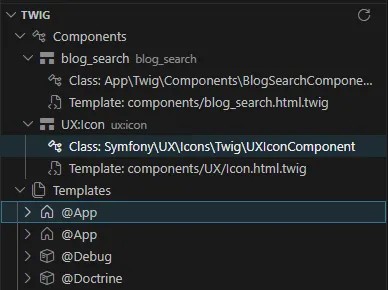
- Components list with class navigation
- Template lists grouped by bundles
Doctrine
Section titled “Doctrine”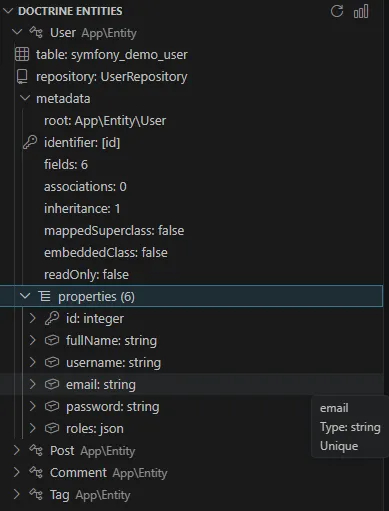
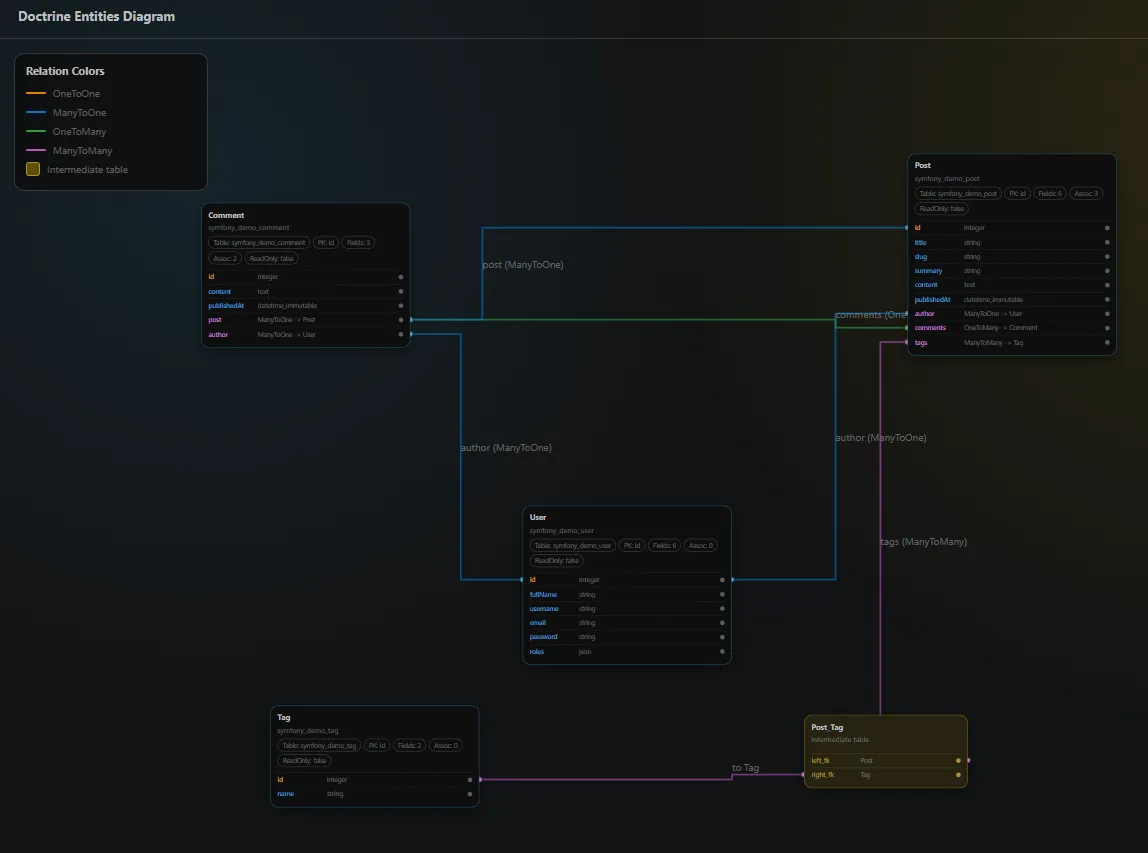
- Entity tree with metadata and fields
- Diagram action for visual entity relationships